
Real-time chat
Messages appear instantly on both sides, with typing indicators and read ticks, so shoppers know you're there.
VizChat adds a fast, friendly chat to every page of your store. Answer questions in real time from one simple inbox, right inside Shopify admin.
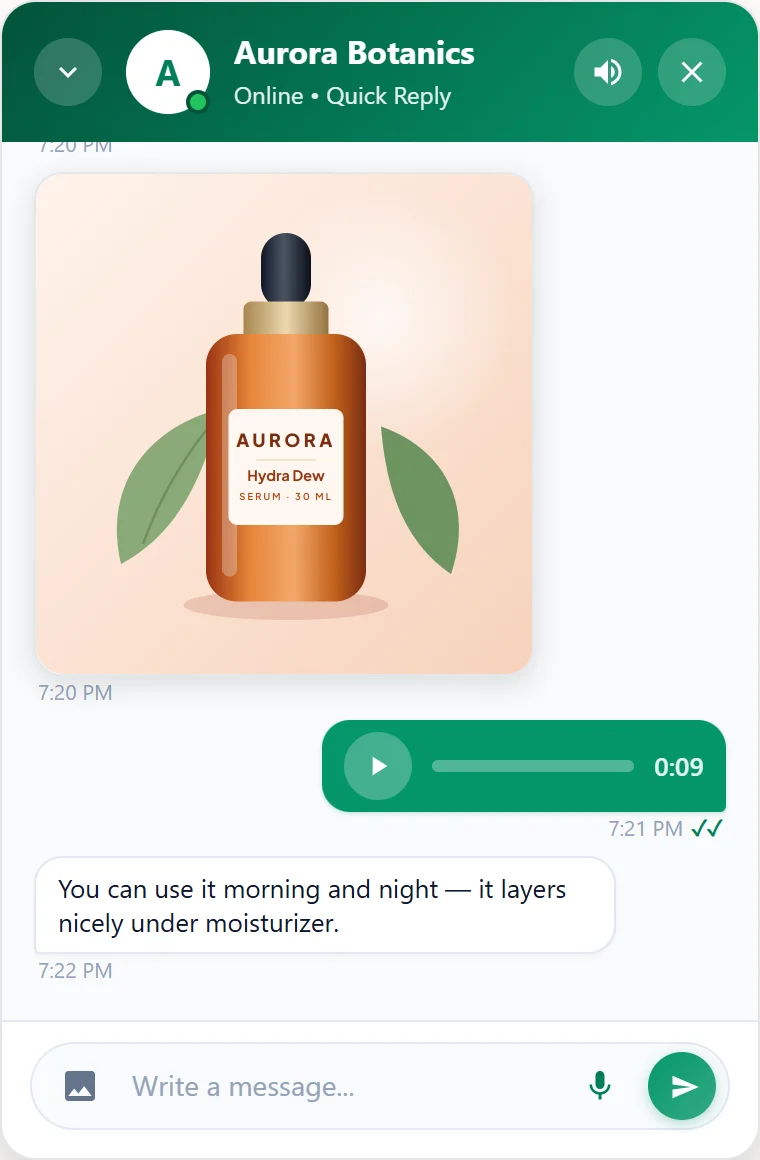
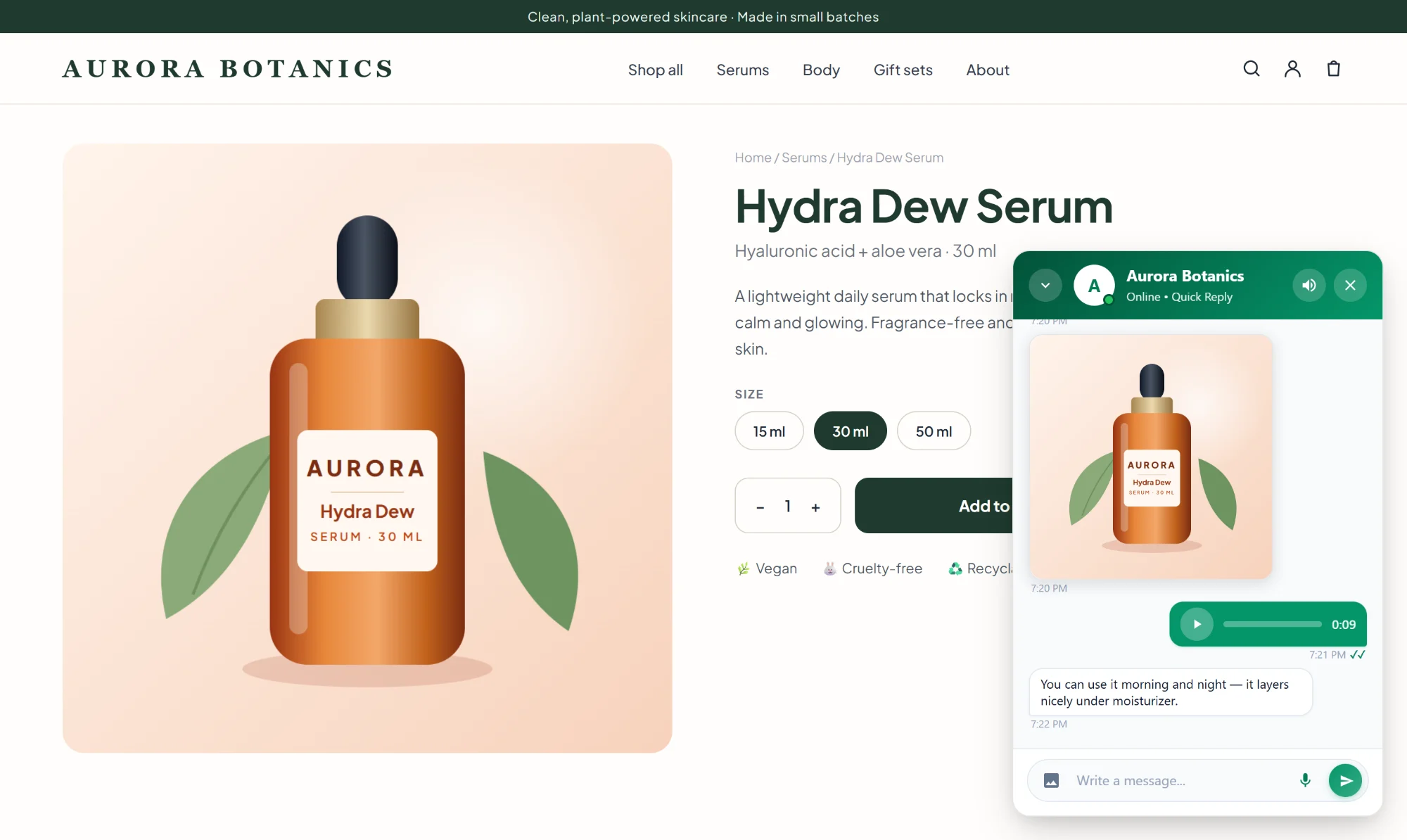
Simple for shoppers, fast for your team, and it looks like part of your store.
Messages appear instantly on both sides, with typing indicators and read ticks, so shoppers know you're there.
Shoppers can record a voice note or send a photo, and so can you. Just like the messengers they already use.
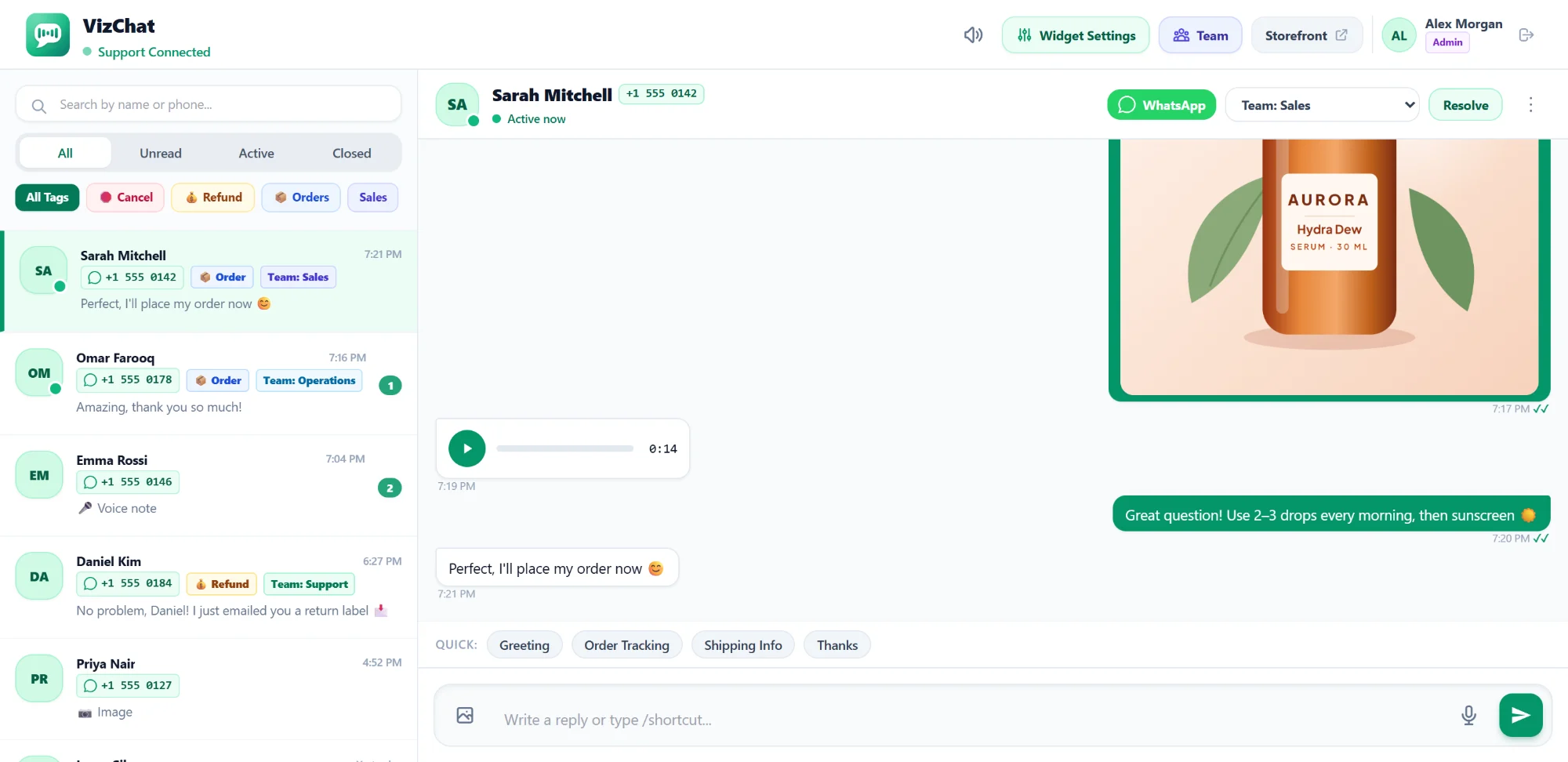
Give each team member their own sign-in, assign chats to Sales, Support or Operations, and filter by topic.
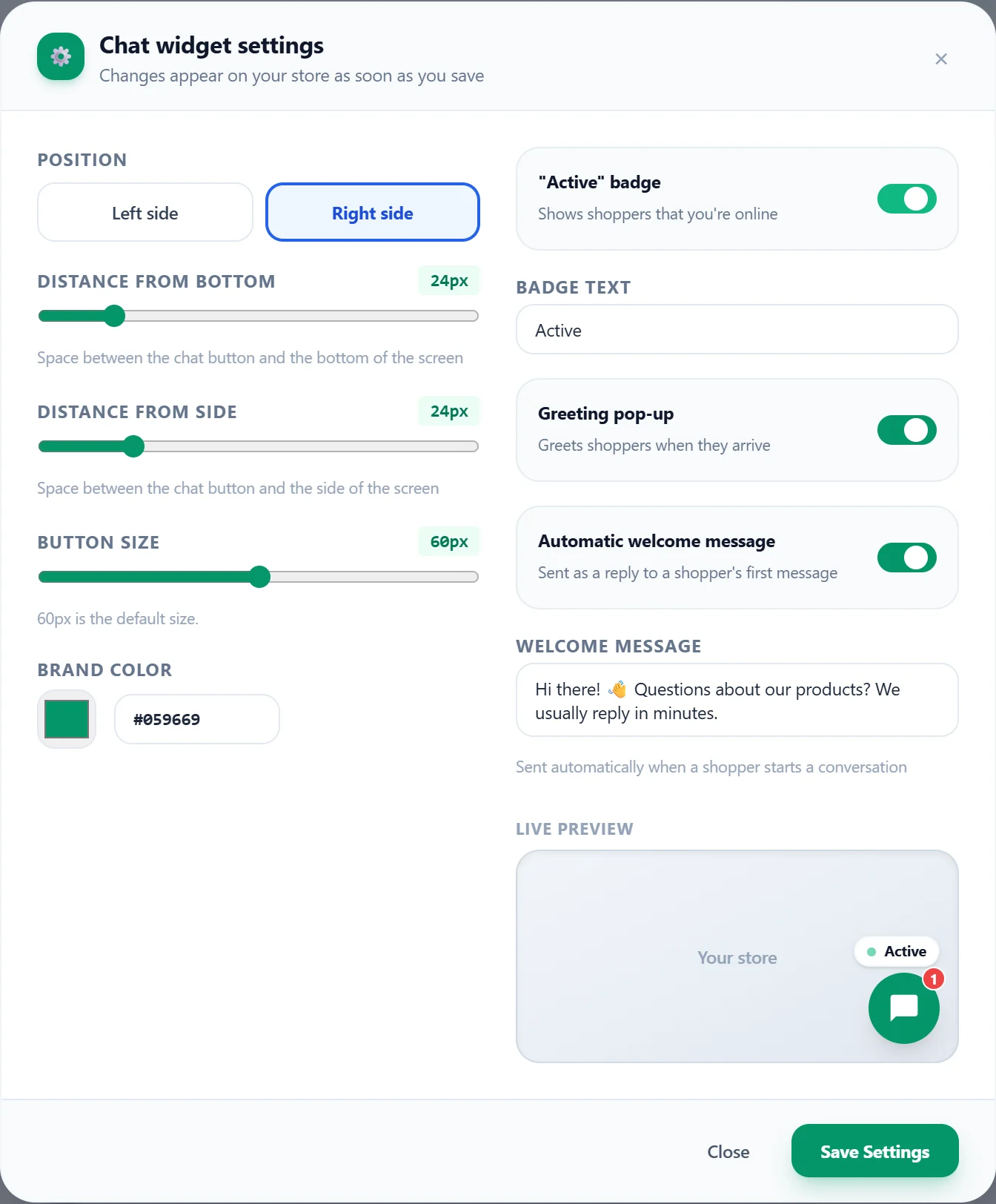
Choose your color, button icon, position and welcome message. The whole chat follows your brand color.
Sound alerts, browser notifications and unread counts tell your team when someone needs help.
Save answers you send often, like shipping times or order tracking, and insert them with a shortcut.
Open VizChat in Shopify admin and reply in real time. See who is online, what they sent and which page they are on.
Shoppers start chatting from any page with just their name and phone number. The chat stays with them while they browse.
Pick the color, position, button size, icon and welcome message, with a live preview. Changes reach your store as soon as you save.
No code to copy. VizChat adds itself to your theme as an app embed.
Add VizChat to your store from the Shopify App Store. Your 7-day free trial starts right away.
In your theme editor, open App embeds, switch on VizChat Live Chat and save. The app takes you straight there.
Answer shoppers from VizChat in Shopify admin. Your team can sign in from any computer or phone.
Every feature, for your whole team. Try VizChat free for 7 days, then it's $3 a month, billed by Shopify on your store's bill.
Cancel anytime by uninstalling the app. No setup fees and no contracts.
Billed in USD through Shopify. Cancel anytime.
No. Install VizChat, switch on the chat in your theme's App embeds and save. That's all.
No. The chat script is small and loads after your page. The live connection only opens when a shopper starts a chat.
Yes. Add team members in VizChat under Team. They sign in at chat.solutioners.com.pk/admin with your store address, their username and password, on a computer or a phone.
Every store gets a 7-day free trial. After that VizChat costs $3 per month, billed by Shopify together with your other apps. You can cancel anytime by uninstalling.
On our servers in the European Union (France). Read our privacy policy for the details.
More answers on the support page.
Install VizChat, switch it on and answer your first shopper in minutes.